# Dx Code

Diagnosis codes (Dx Code), typically using the ICD-10 system, are vital in home health care for billing, care planning, communication, and quality reporting. They ensure accurate reimbursement, guide treatment plans, facilitate information sharing among healthcare providers, and help monitor patient outcomes, improving the overall quality of home health services.

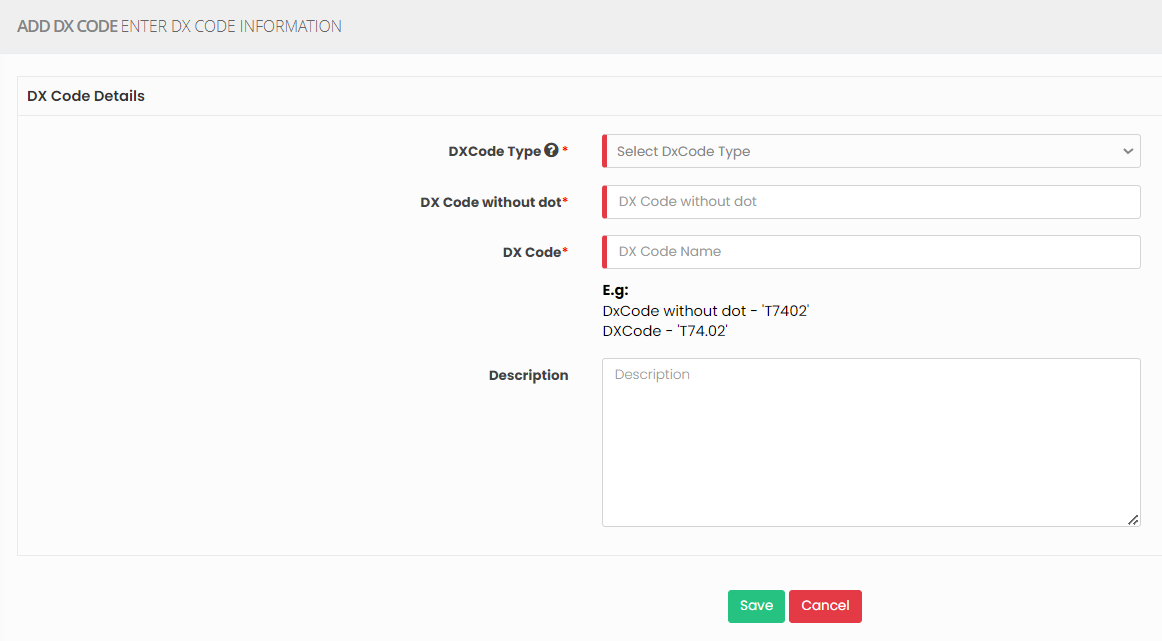
<p class="callout warning">Note: All Fields marked with <span style="color: rgb(224, 62, 45);">\*</span> are mandatory and must be filled out, otherwise the system will generate an error indicating that the required information is missing.</p>

### Adding Dx Code

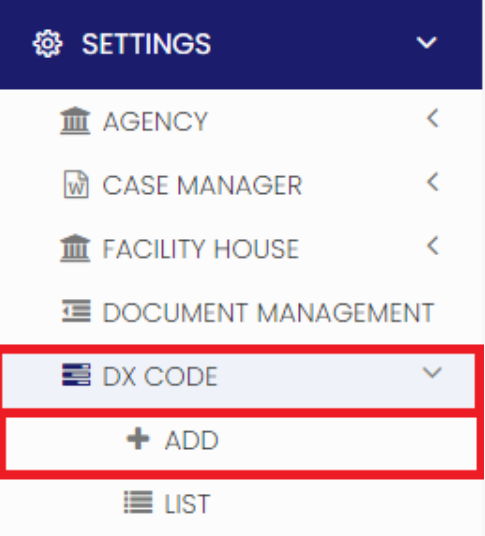
<p class="callout info">**Settings &gt;&gt; DX Code &gt;&gt; + Add option**</p>

[![image.png](https://support.myezcare.com/uploads/images/gallery/2023-10/scaled-1680-/lfHimage.png)](https://support.myezcare.com/uploads/images/gallery/2023-10/lfHimage.png)

Update the required information in DX Code details and Click Save

[![image.png](https://support.myezcare.com/uploads/images/gallery/2023-10/scaled-1680-/jBKimage.png)](https://support.myezcare.com/uploads/images/gallery/2023-10/jBKimage.png)
### View Dx code List

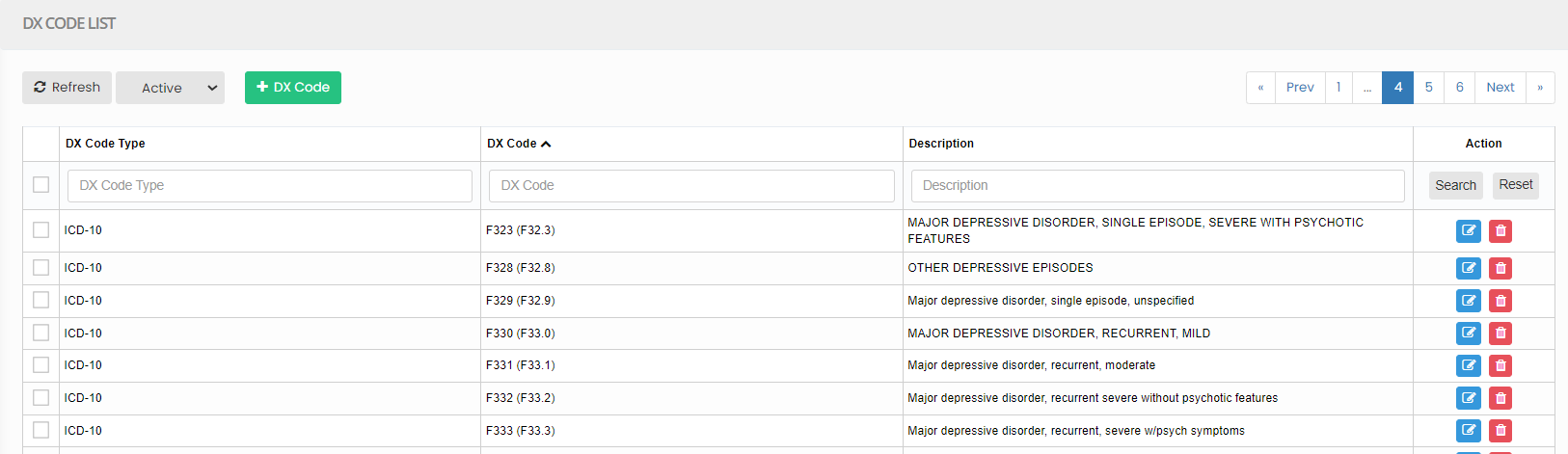
The list of Dx code can be viewed by using the option List under Dx code.

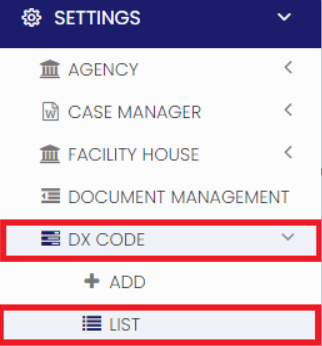
<p class="callout info">**Settings &gt;&gt; DX Code &gt;&gt; List**</p>

[![image.png](https://support.myezcare.com/uploads/images/gallery/2023-10/scaled-1680-/gY6image.png)](https://support.myezcare.com/uploads/images/gallery/2023-10/gY6image.png)

Enter the Dx code and click search option to view the required DX code in the system.

[![image.png](https://support.myezcare.com/uploads/images/gallery/2023-10/scaled-1680-/Wmdimage.png)](https://support.myezcare.com/uploads/images/gallery/2023-10/Wmdimage.png)