**Settings >> Dropdown Editor**
Select the Item Type for which the Title is to be added and Click Save option. [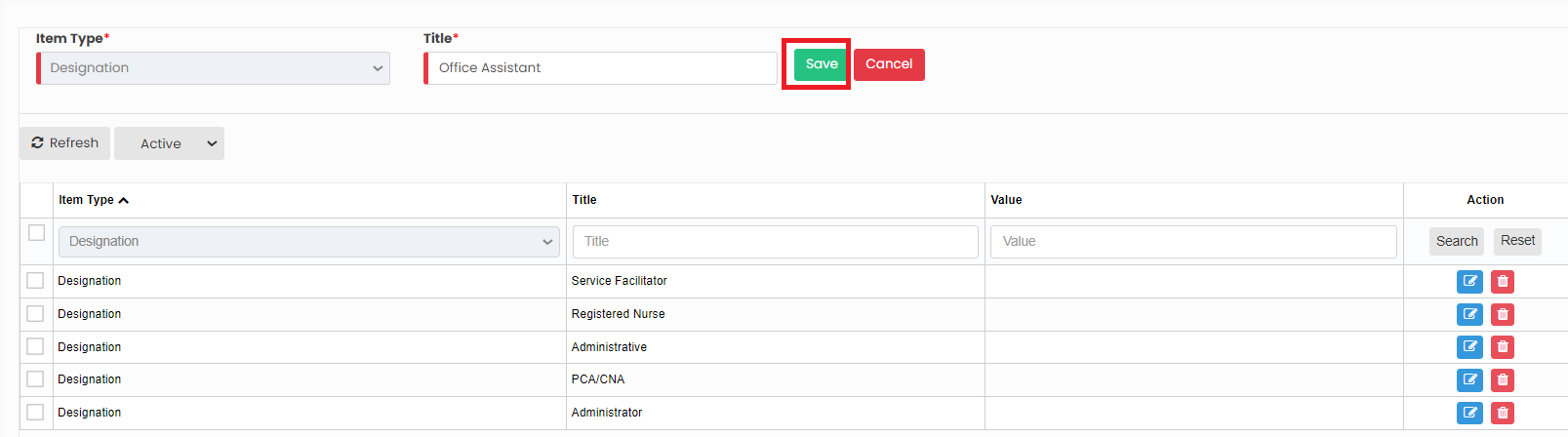](https://support.myezcare.com/uploads/images/gallery/2023-10/dfcimage.png) Now, the required information is added under Item type Designation. Similarly we can add the Title for the required Item Type. [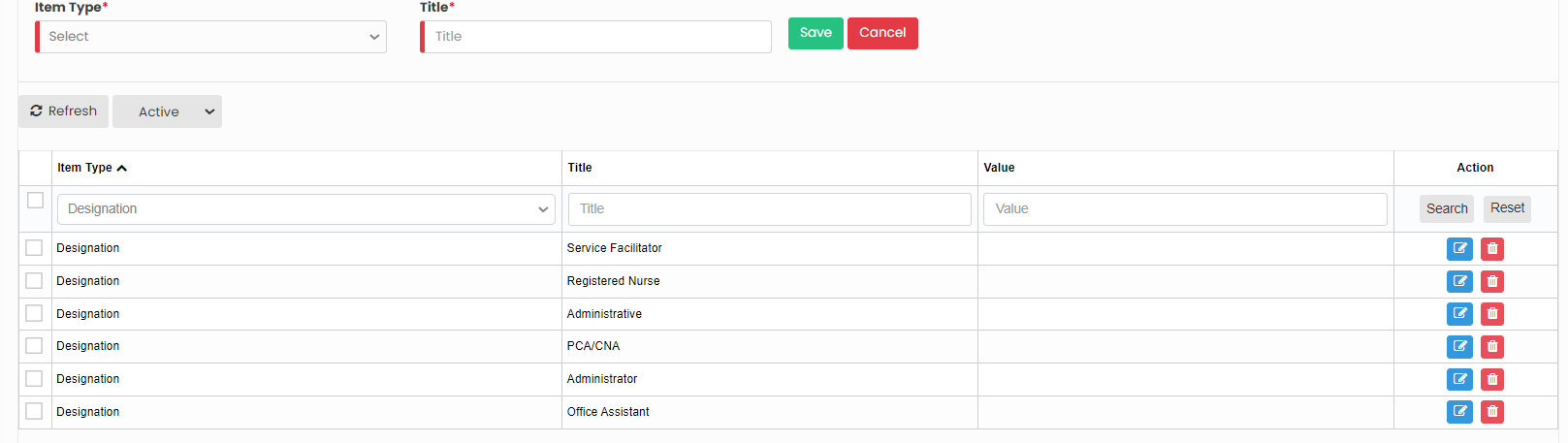](https://support.myezcare.com/uploads/images/gallery/2023-10/ub9image.png) ### Editing Title**Settings >> Dropdown Editor**
Select the Item Type and Click Edit option on the right side of the screen. [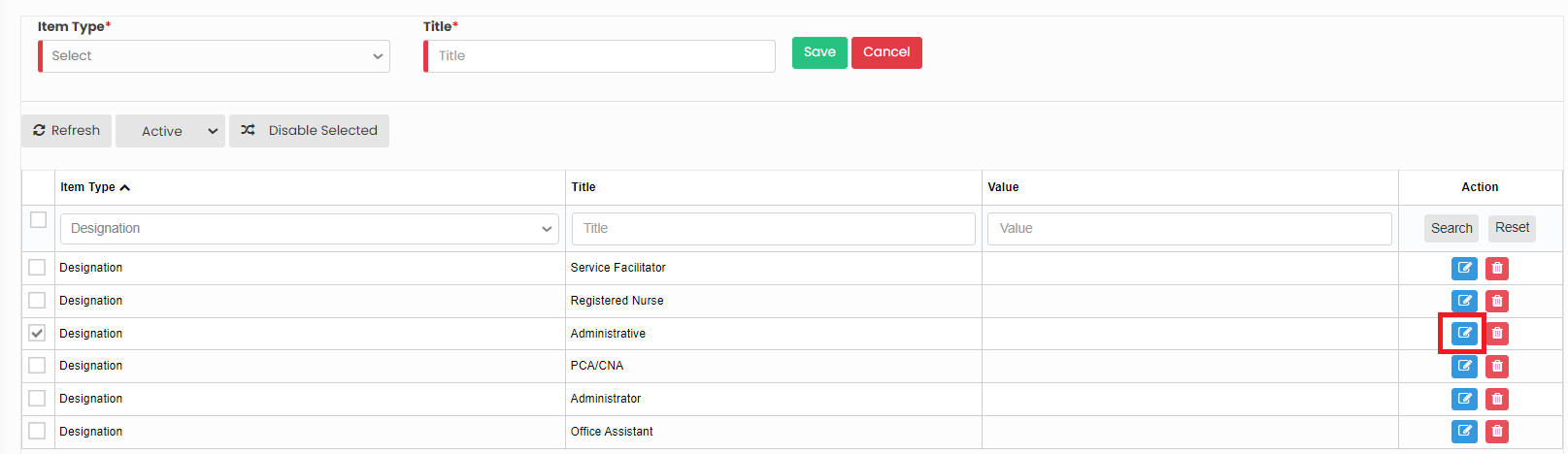](https://support.myezcare.com/uploads/images/gallery/2023-10/2hcimage.png) Now, after editing the Title for the required Item type, Click Save option. Similarly we can edit the Title information for all the Item type in the system. [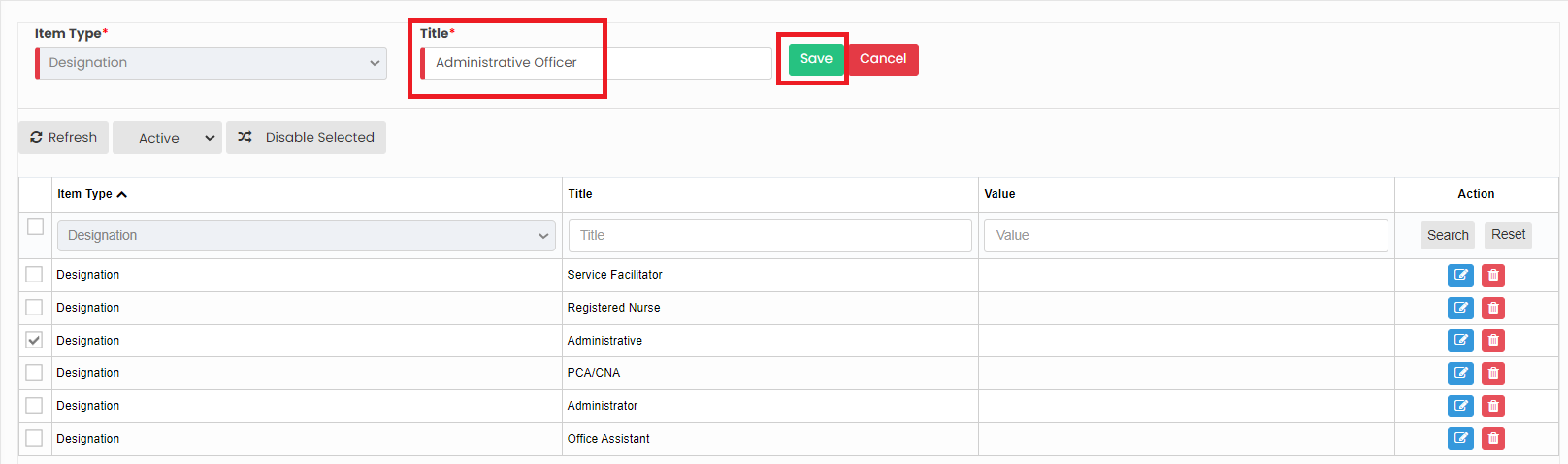](https://support.myezcare.com/uploads/images/gallery/2023-10/BWJimage.png) ### Delete Item type**Settings >> Dropdown Editor**
Select the Item type from the List using the check box and click Delete option or Disable selected option in the screen. [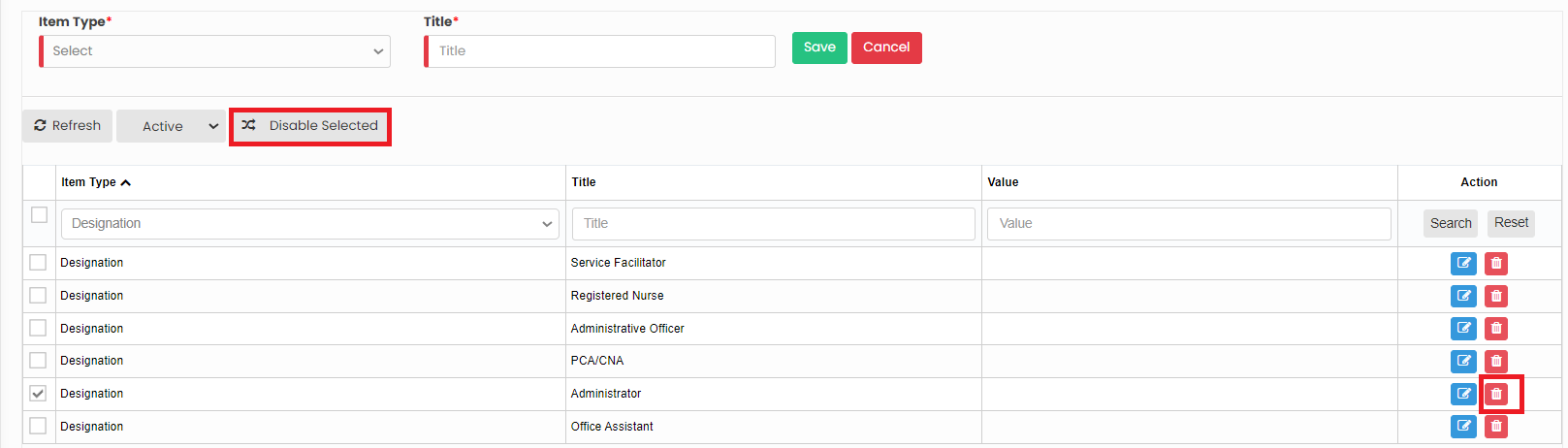](https://support.myezcare.com/uploads/images/gallery/2023-10/uWgimage.png) Now, the required item type has been deleted and we can view them under Deleted list. [](https://support.myezcare.com/uploads/images/gallery/2023-10/786image.png) The deleted Item Type can also be restored by using the option Active on the right side of the screen. [](https://support.myezcare.com/uploads/images/gallery/2023-10/m6dimage.png)