Note: All Fields marked with **\*** are mandatory and must be filled out, otherwise the system will generate an error indicating that the required information is missing.
### Adding Preference / Skills**Settings >> Preference / Skill >> +Add option**
Select the Type and update the Name. Click Save to Add Preference / Skill detail [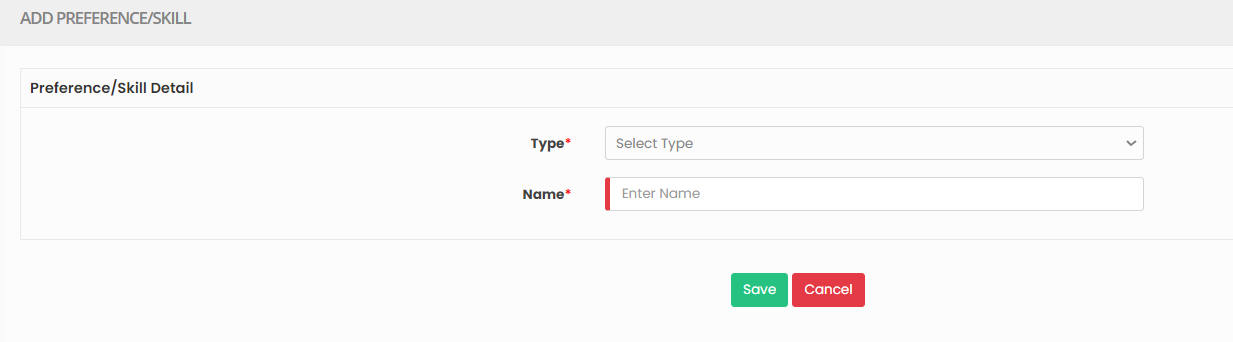](https://support.myezcare.com/uploads/images/gallery/2023-10/HM7image.png) ### Editing Preference / Skill**Settings >> Preference / Skill >> List**
Select the Preference from List and Click Edit option on the right side of the screen. [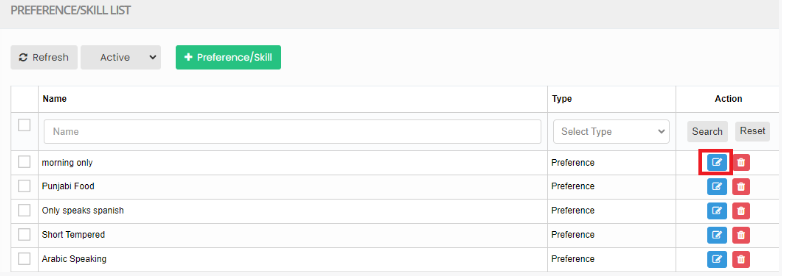](https://support.myezcare.com/uploads/images/gallery/2023-10/Zmmimage.png) Now, Edit the required information and Click Update option [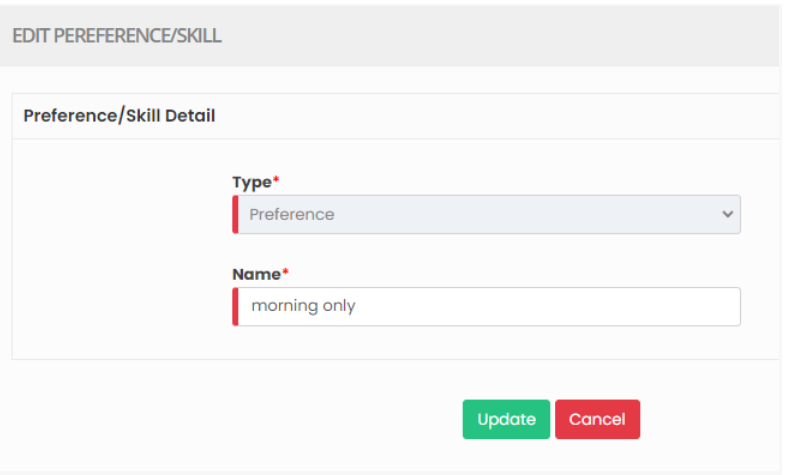](https://support.myezcare.com/uploads/images/gallery/2023-10/5osimage.png) ### Delete Preference / Skills**Settings >> Preference / Skill >> List**
Select the physician from list using the check box and click Delete or Disable Selected option in the screen. [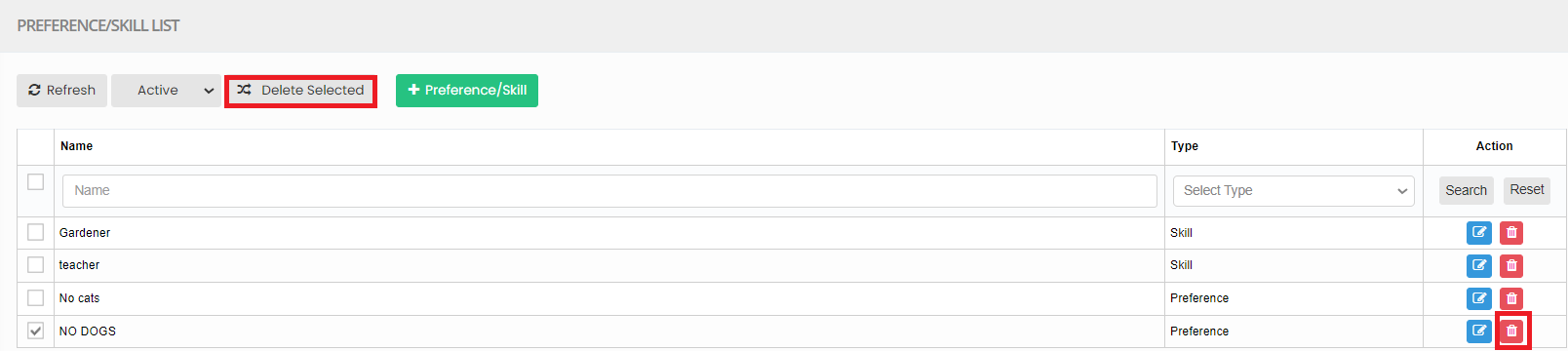](https://support.myezcare.com/uploads/images/gallery/2023-10/uzJimage.png) Now, the Preference / Skills gets deleted and we can view the details under Deleted list. [](https://support.myezcare.com/uploads/images/gallery/2023-10/UvUimage.png) The user can also Restore the deleted Preference by using the option Active on the right side of the screen. [](https://support.myezcare.com/uploads/images/gallery/2023-10/yHHimage.png)