# Internal Messaging / Notes

Internal messaging tools enable caregivers, nurses, and administrators to coordinate patient care, share vital information, and manage schedules efficiently.

### Internal Messaging

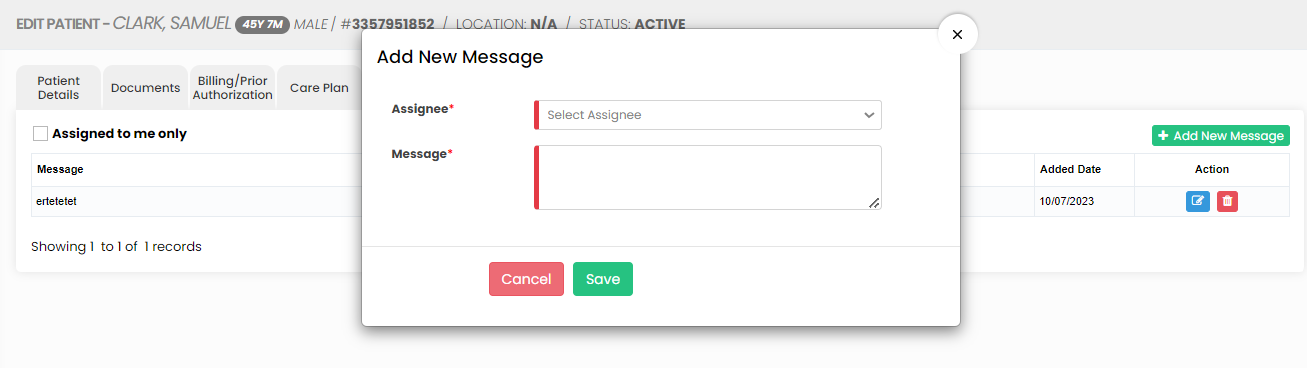
The Internal Messaging option is used to send internal messages from the patient to the employee. The user has to click +Add New Message option to send the messages.

<p class="callout info">**Client &gt;&gt; List &gt;&gt; Select Patient from List &gt;&gt; Internal Messaging**</p>

[![image.png](https://support.myezcare.com/uploads/images/gallery/2023-10/scaled-1680-/VPJimage.png)](https://support.myezcare.com/uploads/images/gallery/2023-10/VPJimage.png)

Select the Employee name and enter the message for the employee in the system. Click Save option to send the message.

[![image.png](https://support.myezcare.com/uploads/images/gallery/2023-10/scaled-1680-/v8pimage.png)](https://support.myezcare.com/uploads/images/gallery/2023-10/v8pimage.png)
### Notes

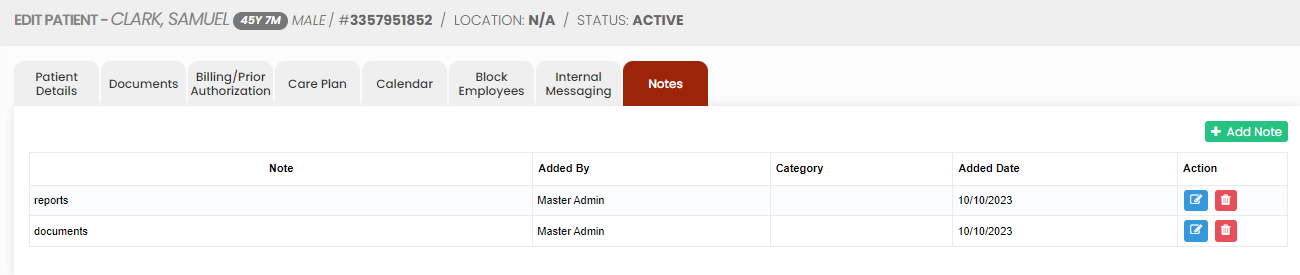
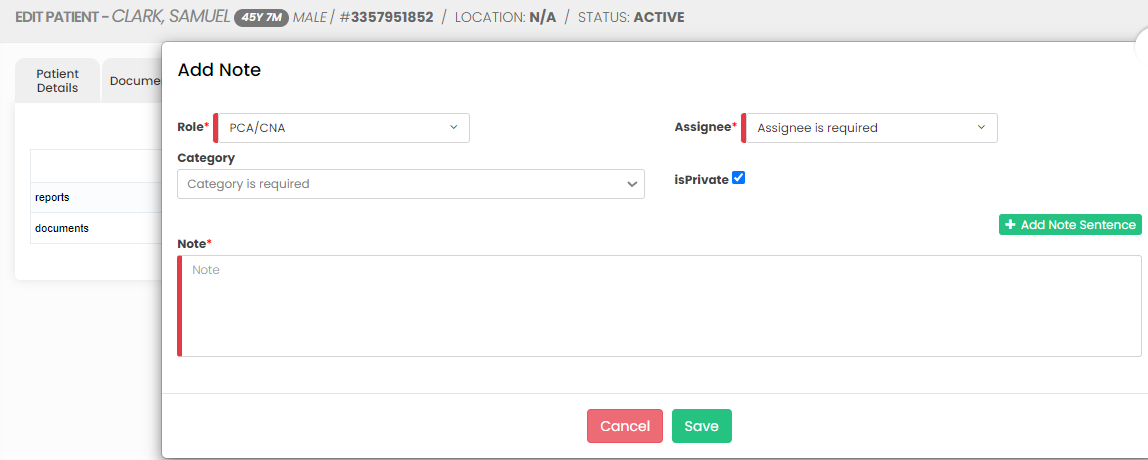
The Notes Tab is used to update the internal notes for the patient in the system. Click +Add Note option to enter the notes.

<p class="callout info">**Client &gt;&gt; List &gt;&gt; Select Patient from List &gt;&gt; Notes**</p>

[![image.png](https://support.myezcare.com/uploads/images/gallery/2023-10/scaled-1680-/viXimage.png)](https://support.myezcare.com/uploads/images/gallery/2023-10/viXimage.png)

Now, update the notes for the patient and click Save option.

[![image.png](https://support.myezcare.com/uploads/images/gallery/2023-10/scaled-1680-/tOrimage.png)](https://support.myezcare.com/uploads/images/gallery/2023-10/tOrimage.png)
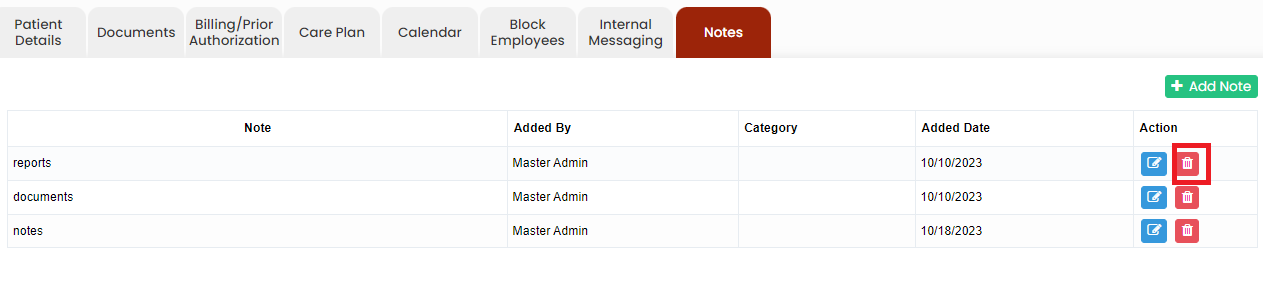
Click Delete option under Actions in the system to Delete the Notes.

[![image.png](https://support.myezcare.com/uploads/images/gallery/2023-11/scaled-1680-/tREimage.png)](https://support.myezcare.com/uploads/images/gallery/2023-11/tREimage.png)