# Dx Code

Diagnosis codes (Dx Code), typically using the ICD-10 system, are vital in Adult Day Care for billing, care planning, communication, and quality reporting. They ensure accurate reimbursement, guide treatment plans and facilitate information sharing among healthcare providers.

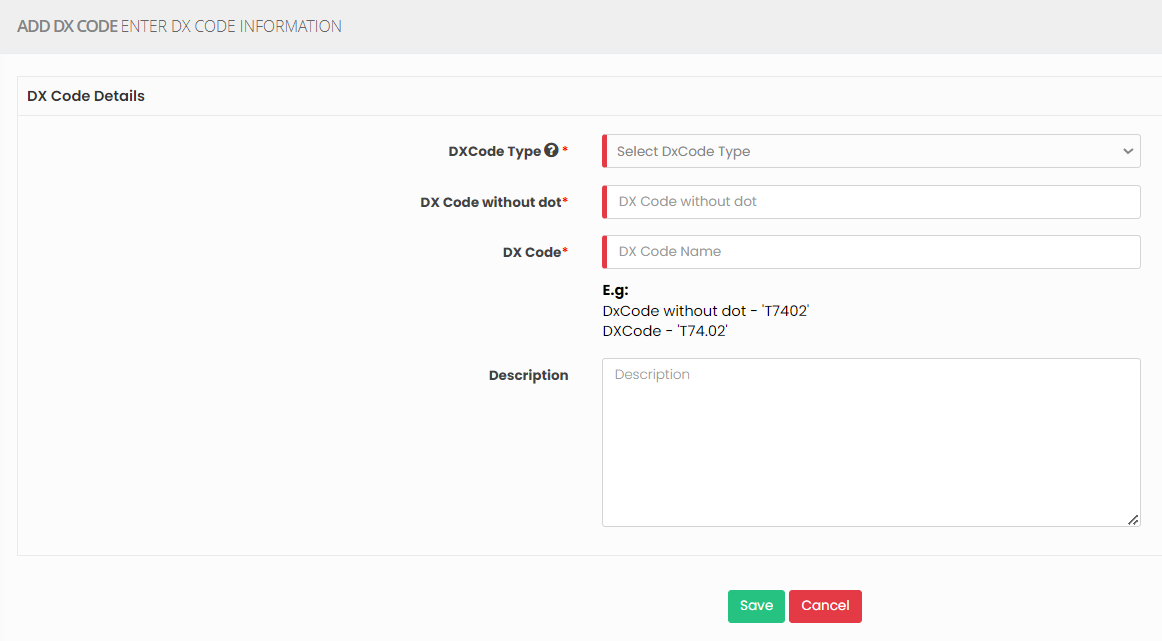
<p class="callout warning">Note: All Fields marked with <span style="color: rgb(224, 62, 45);">\*</span> are mandatory and must be filled out, otherwise the system will generate an error indicating that the required information is missing.</p>

### Adding Dx Code

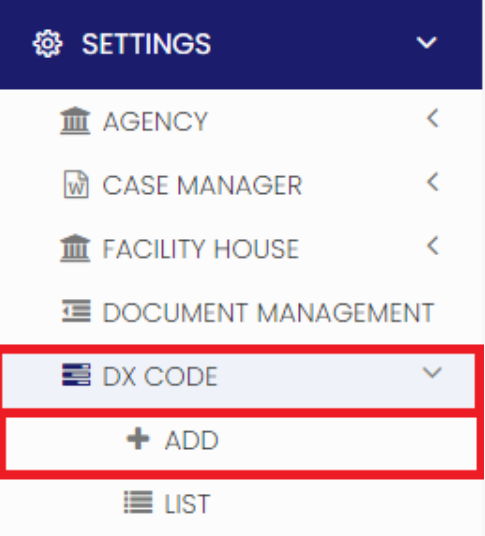
<p class="callout info">**Settings &gt;&gt; DX Code &gt;&gt; + Add option**</p>

[![image.png](https://support.myezcare.com/uploads/images/gallery/2023-10/scaled-1680-/lfHimage.png)](https://support.myezcare.com/uploads/images/gallery/2023-10/lfHimage.png)

Update the required information in DX Code details and Click Save

[![image.png](https://support.myezcare.com/uploads/images/gallery/2023-10/scaled-1680-/jBKimage.png)](https://support.myezcare.com/uploads/images/gallery/2023-10/jBKimage.png)
### View Dx code List

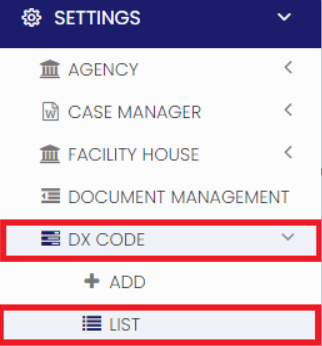
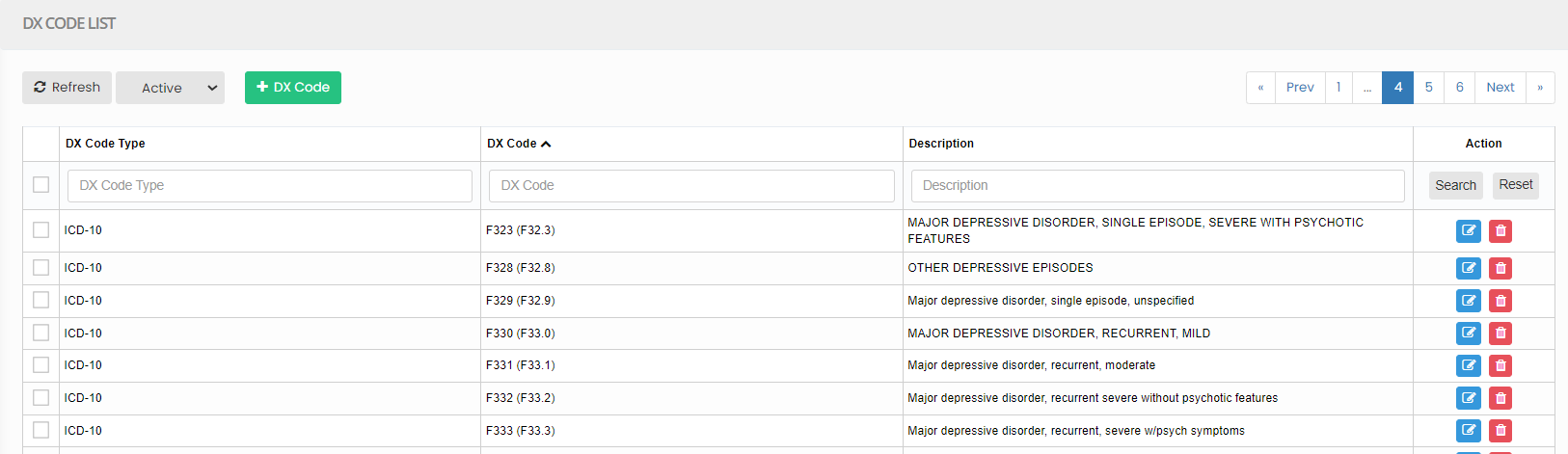
The list of Dx code can be viewed by using the option List under Dx code.

<p class="callout info">**Settings &gt;&gt; DX Code &gt;&gt; List**</p>

[![image.png](https://support.myezcare.com/uploads/images/gallery/2023-10/scaled-1680-/gY6image.png)](https://support.myezcare.com/uploads/images/gallery/2023-10/gY6image.png)

Enter the Dx code and click search option to view the required DX code in the system.

[![image.png](https://support.myezcare.com/uploads/images/gallery/2023-10/scaled-1680-/Wmdimage.png)](https://support.myezcare.com/uploads/images/gallery/2023-10/Wmdimage.png)